01The comeback project
2024 was a heavy year of work, and by early 2025 I had stepped away from code to recover. When I came back a few months later, my GitHub looked different. The follower count had climbed while I was not paying attention, and I had lost track of who was actually in my network. Who followed me back? Who had I followed once and then forgotten about?
I went looking for something to tidy it up and found a few tools, including Hesbon Osoro's follow-for-follow-back. It got me partway there, but unfollowing meant getting bounced to each person's GitHub page to click the button by hand, and you could only deal with one account at a time. That friction was the spark. Building my own version felt like the right way to ease back into coding. It was a small problem I had, with enough rough edges to keep me interested.
02Two rules I set before writing any code
Before I started I wrote down two constraints. The tool had to stay simple, and it had to be free to run. That meant no paid database and no always-on server for me to babysit.
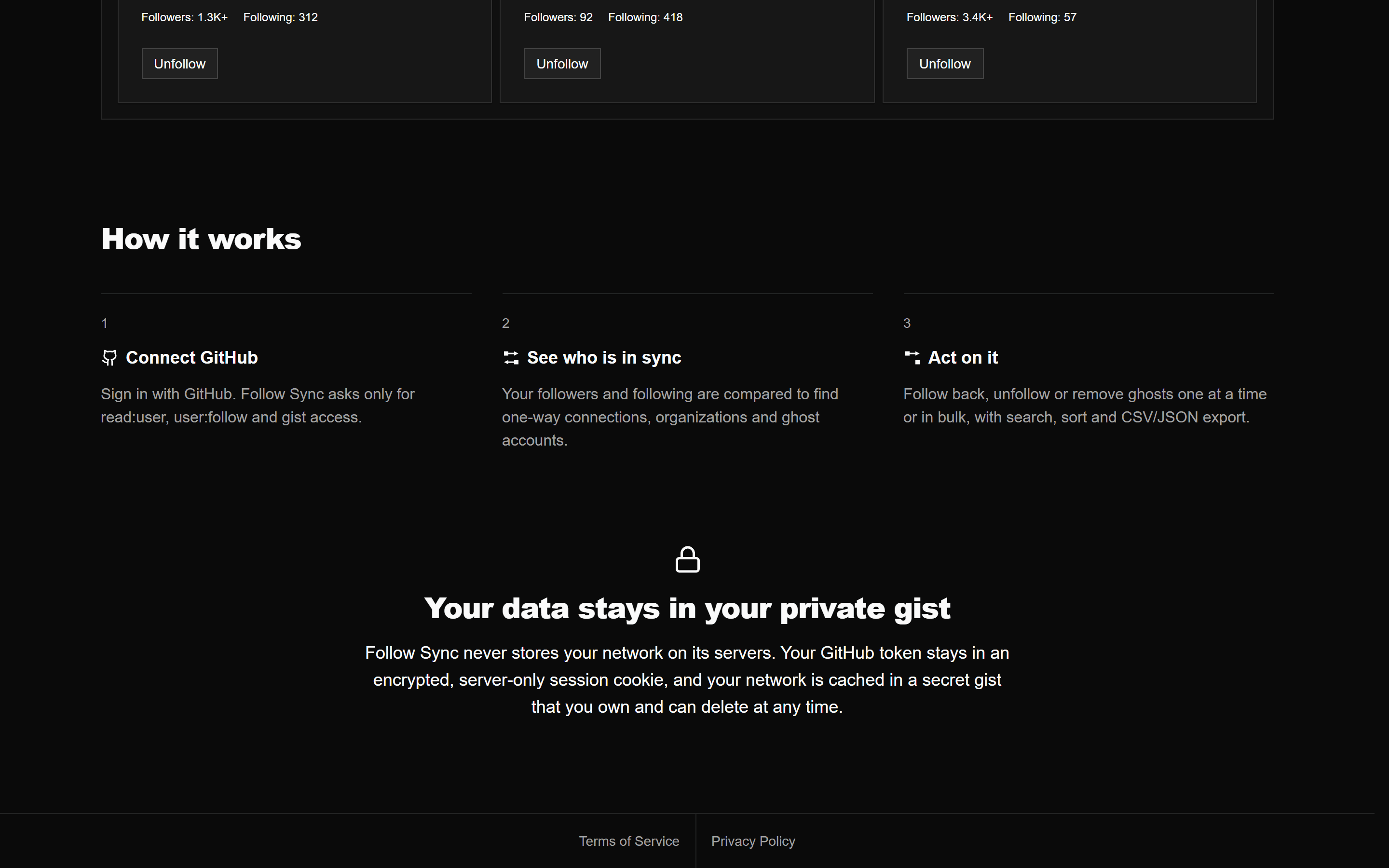
That second rule killed the obvious design. A backend that reads your whole network and hands the frontend a tidy answer would put every user on one GitHub allowance, so a few large networks could drain it. OAuth gave me a way around that. Each person signs in with their own account, and the GraphQL work is charged to that user's limit of 5,000 points per hour. REST is counted separately, normally 5,000 authenticated requests per hour. The sign-in asks for exactly three scopes: read:user, user:follow, and gist. GitHub's broad user scope would have been the lazy pick, but it also grants profile write access the app has no business holding, so it stayed out. That gist scope turns out to be the other half of the plan.
export const { handlers, signIn, signOut, auth } = NextAuth({
  providers: [
    GitHub({
      // GitHub returns an RFC 9207 `iss` parameter on the OAuth callback.
      // @auth/core validates it against the provider issuer, which defaults to
      // the `https://authjs.dev` placeholder on this pinned version and makes
      // every callback fail. Setting it explicitly matches what GitHub sends
      // (and what @auth/core >= 0.41.2 sets on its own).
      issuer: 'https://github.com/login/oauth',

      // `read:user` for profile reads, `user:follow` for follow/unfollow
      // mutations, and `gist` for the private-gist cache store. This is the
      // minimal set — the broad `user` scope additionally grants profile
      // *write* access, which the app never needs.
      authorization: {
        params: { scope: 'read:user user:follow gist' },
      },
    }),
  ],
  session: {
    strategy: 'jwt',
    maxAge: 60 * 60 * 24, // 1 day
    updateAge: 60 * 60 * 6, // 6 hours
  },

  callbacks: {
    async jwt({ token, account, profile }) {
      if (account?.access_token) {
        token.accessToken = account.access_token;
        // Keep only the profile fields the UI shows — the full GitHub profile
        // bloats the cookie (forcing chunking) and isn't needed.
        token.profile = pickProfile(profile);
      }
      return token;
    },
    // ...the session callback copies profile fields onto the session user.
  },
});03The pivot: do the heavy lifting in the browser
My first instinct was to use Next.js on the server to fetch a user's network. I dropped that fast. The whole point of the tool is completeness. You can only trust the does not follow you back list once you have pulled every follower and every account someone follows. For a power user with tens of thousands of connections, a full sync runs long past the execution limits on Vercel's free tier.
So Follow Sync became a client-heavy app. The browser owns the long-running pagination and reconciliation. The server handles GitHub sign-in and three same-origin proxy routes, for GraphQL, REST, and raw gist files. The GraphQL and REST routes attach the user's token, and the REST route forwards only the paths and methods the app calls. What I avoided was an always-on worker doing the sync for everyone.
04Pulling an entire network without tripping the rate limit
Fetching a large network is really a paging problem. GitHub's GraphQL API returns followers and following 100 at a time, behind cursors. Instead of draining one list and then the other, I page both in the same loop, and I stop asking for whichever side finishes first by setting its page size to zero. I de-duplicate each user as it arrives and pause briefly between rounds.
Long syncs also have to survive GitHub pushing back. The first version died on the first error, however deep into the sync it happened. Now every page request goes through a retry wrapper that backs off exponentially on server errors and network blips. A rate limit waits as long as GitHub asks, up to a minute at a time, out of a five-minute budget for the whole sync. Past that, the sync stops and tells you roughly when to come back.
  const pageSize = 100;
  let viewerLogin: string | null = null;

  while (hasNextPageFollowers || hasNextPageFollowing) {
    const variables: GetUserFollowersAndFollowingQueryVariables = {
      firstFollowers: hasNextPageFollowers ? pageSize : 0,
      afterFollowers: currentCursorFollowers,
      firstFollowing: hasNextPageFollowing ? pageSize : 0,
      afterFollowing: currentCursorFollowing,
    };

    try {
      const data = await withRetry(
        () =>
          client.request<
            GetUserFollowersAndFollowingQuery,
            GetUserFollowersAndFollowingQueryVariables
          >({
            document: GET_USER_FOLLOWERS_AND_FOLLOWING,
            variables,
            signal: options.signal,
          }),
        retryOptions(options)
      );
      options.signal?.throwIfAborted();

      viewerLogin = data.viewer?.login ?? viewerLogin;

      if (hasNextPageFollowers && data.viewer?.followers) {
        const { nodes, totalCount, pageInfo } = data.viewer.followers;
        mergeUniqueUsers(
          allFollowers.nodes as User[],
          nodes as User[],
          seenFollowerAccounts
        );
        if (allFollowers.totalCount === 0) {
          allFollowers.totalCount = totalCount;
        }
        hasNextPageFollowers = pageInfo?.hasNextPage || false;
        currentCursorFollowers = nextPageCursor(
          'followers',
          hasNextPageFollowers,
          currentCursorFollowers,
          pageInfo?.endCursor
        );
      }
      // ... the following side mirrors it, then progress goes out via onProgress?.({ ... })
      if (hasNextPageFollowers || hasNextPageFollowing) {
        await sleep(200, options.signal);
      }
    } catch (error: unknown) {
      if (options.signal?.aborted || isAbortError(error)) throw error;
      console.error('Error fetching paginated follow data:', error);
      if (error instanceof RateLimitError) throw error;
      throw new Error(
        getErrorMessage(error, 'Failed to fetch paginated follow data.'),
        { cause: error }
      );
    }
}05Where do you keep the data without a database?
I had banned myself from using a database, but I still needed somewhere to cache a user's network so the app did not re-fetch everything on every visit. The answer was hiding in the scopes I had already asked for. A private Gist is a file that belongs to the user, it lives on GitHub, and it costs nothing. So that became the database: one private Gist per user.
The Gist is a snapshot, so what you see can lag reality by a sync, but the app opens from it without waiting for a full sync. Gists also keep their revision history, which leaves the door open to charting how a network changes over months.
Using Gists this way has one catch. There is no primary key, so I can't query for "this user's cache". I can only list their Gists and work out which one is mine, and people accumulate duplicates: a Gist created on one device, another on a second, an old one left over from a previous cache version.
So I score every candidate, after checking that GitHub lists the signed-in account as its owner. Anyone with a secret gist's id can read it, and an id left over from another account on the same browser would otherwise load the previous account's network. A matching filename is worth a little, a file that actually decodes as a cache a bit more, a matching owner login inside it more still, and an exact cache-key match most of all. The highest score becomes canonical, and the rest are treated as duplicates and cleaned up.
export const scoreCacheGist = (gist: CacheGist, ownerLogin: string) => {
  const parsed = parseCache(gist);
  const normalizedOwnerLogin = normalizeOwnerLogin(ownerLogin);
  const expectedCacheKey = getExpectedCacheKey(normalizedOwnerLogin);

  let score = 0;

  if (hasCacheFilename(gist)) score += 10;
  if (isCacheDescription(gist.description)) score += 5;
  if (parsed) score += 20;

  const parsedOwnerLogin = parsed?.metadata?.ownerLogin?.toLowerCase();
  const parsedCacheKey = parsed?.metadata?.cacheKey;

  if (parsedOwnerLogin === normalizedOwnerLogin) score += 40;
  if (parsedCacheKey === expectedCacheKey) score += 80;
  if (gist.description?.includes(expectedCacheKey)) score += 20;

  return score;
};

// ... sortByRecencyDesc parses both timestamps and returns newest-first.

const selectCanonicalCacheGist = (gists: CacheGist[], ownerLogin: string) => {
  return [...gists].sort((left, right) => {
    const scoreDelta =
      scoreCacheGist(right, ownerLogin) - scoreCacheGist(left, ownerLogin);
    if (scoreDelta !== 0) {
      return scoreDelta;
    }

    return sortByRecencyDesc(left.updatedAt, right.updatedAt);
  });
};06When the cache outgrew a file
The cache started as one JSON file, written compact to stay clear of any size ceiling. It hit two anyway. The Gist API inlines a file only up to 1 MB, and at about 310 bytes per user that meant around 3,400 connections. So each user became a positional tuple without the fields the app can rebuild, three to four times smaller. The second was Vercel's 4.5 MB body limit. Every GitHub call goes through a Vercel function, so caches above roughly 36,000 connections could be neither saved nor loaded.
Now the cache is a small manifest plus chunk files of at most 900,000 characters, named after the write's generation, an id unique to each write. Chunks go up first and the manifest last, so a write that fails halfway leaves the previous cache intact. The first version deleted every chunk its own manifest didn't name, including chunks another device was still uploading. That device's manifest then landed pointing at files that were gone.
/**
 * Chunk files younger than this are never deleted unless this write knows
 * whose they are: they may belong to another device's write that is still
 * uploading them (its manifest lands after its last chunk). A write of the
 * largest caches takes well under a minute; the margin covers slow
 * connections and clocks that disagree by a few minutes.
 */
export const ORPHAN_CHUNK_MAX_AGE_MS = 15 * 60 * 1000;
// ...
const staleChunkFiles = (
  listing: readonly string[],
  keep: ReadonlySet<string>,
  superseded: ReadonlySet<string>,
  now: number
) =>
  listing.filter((name) => {
    if (keep.has(name)) return false;
    const generation = chunkGeneration(name);
    if (!generation) return false;
    if (superseded.has(generation)) return true;
    const startedAt = generationStartedAt(generation);
    return startedAt !== null && now - startedAt > ORPHAN_CHUNK_MAX_AGE_MS;
});Everything outside plain ASCII also gets escaped, because GitHub stamps a scary warning banner on any gist with bidirectional Unicode in it, and this one is supposed to be invisible.
07Two devices, one gist
From the start, every write replaced the gist, so with the app open in two tabs or on two devices, the last writer won. A follow, an ignore, or a ghost removal saved on one was silently dropped by the other's next write.
Each session now remembers a base, the cache it last read or wrote. If the gist has moved on by the time it writes, it reads the newer cache and merges three ways. The newer full sync's network wins, the other side's follows and unfollows since the base go on top, and ignore lists and ghost removals merge by what each side added or removed. Gist PATCH has no If-Match, so checking and writing can't be one atomic step. The app compares a generation id in the manifest, since updated_at only resolves to the second, and checks again after writing. If another write landed in between, it merges that one too and writes again, at most twice.
The read before a merge used to treat any failure as "no cache" and write straight over the other device's work. Now a failed read abandons the write. A cache file that won't parse is never overwritten, and neither is a gist past GitHub's 300-file listing cap, where the cache file might just be missing from the list.
/**
 * Merges two versions of a set of logins (lowercased). With `base` (what
 * both started from), three-way: an entry either side removed since `base`
 * stays removed, an entry either side added is kept, the rest is kept.
 * Without one, a union: nothing either side holds is lost.
 */
const mergeLoginSets = (
  base: readonly string[] | null | undefined,
  remote: readonly string[],
  local: readonly string[]
) => {
  const all = new Set([...remote, ...local].map(key));
  if (!base) return [...all];
  const baseSet = new Set(base);
  const remoteSet = new Set(remote.map(key));
  const localSet = new Set(local.map(key));
  return [...all].filter(
    (login) =>
      !(baseSet.has(login) && (!remoteSet.has(login) || !localSet.has(login)))
  );
};08Refreshing only as often as it is worth
Caching removed most repeat fetches, but it raised a new question. How stale is too stale? A 200-follower account can refresh often. A 40,000-follower account cannot. A network with around 150,000 total connections costs roughly 1,500 GraphQL points to sync once, so four syncs in an hour would cost about 6,000 points against the usual 5,000-point limit.
So the staleness scales with the size of your network. Small networks refresh on a short timer. The larger you get, the longer the app waits, until past a certain point it leaves refreshing to a manual button, unless you set your own interval in settings. The clock runs from the last full sync, not the last save, because saving a follow used to make a stale network look fresh.
Adaptive stale times
// Adaptive Stale Times (in milliseconds)
export const STALE_TIME_SMALL = 1000 * 60 * 15; // 15 minutes
export const STALE_TIME_MEDIUM = 1000 * 60 * 60 * 3; // 3 hours
export const STALE_TIME_LARGE = 1000 * 60 * 60 * 12; // 12 hours
export const STALE_TIME_MANUAL_ONLY = Infinity; // Never stale, requires manual refresh09Reading GitHub's two APIs against each other
Deleted and suspended accounts kept skewing the numbers. They can remain in the GraphQL following list after the profile behind them is gone. My first version pre-filtered accounts with zero followers and zero following, then sent a HEAD request to each remaining profile. That cost one more request per suspect and needed a server route to get around CORS.
The current version reads the answer out of a disagreement between GitHub's two APIs. GraphQL following includes the entries the app treats as ghosts but omits organizations. REST following includes organizations and omits those ghosts. Once both paginated fetches finish, a login present only in GraphQL is a ghost, and a REST entry typed Organization restores an organization GraphQL left out. The inference depends on GitHub keeping those behaviors. The extra cost is the paginated REST list, charged to its own request budget.
/**
 * Reconciles two completed following lists. Under the API behavior observed by
 * this app, a GraphQL-only entry is treated as a ghost. This is an inference
 * from membership in the two lists, not a deletion or suspension flag supplied
 * by GitHub. GitHub's GraphQL `FollowingConnection` contains `User` nodes, so
 * organizations cannot appear there. REST entries typed `Organization` are
 * restored to the following list.
 */
export const classifyFollowing = ({
  graphqlFollowing,
  restFollowing,
}: {
  graphqlFollowing: NetworkUser[];
  restFollowing: RestFollowingEntry[];
}): { following: NetworkUser[]; ghosts: NetworkUser[] } => {
  const restByLogin = new Map(
    restFollowing.map((entry) => [entry.login.toLowerCase(), entry])
  );

  const following: NetworkUser[] = [];
  const ghosts: NetworkUser[] = [];

  for (const user of graphqlFollowing) {
    const restEntry = restByLogin.get(user.login.toLowerCase());
    if (!restEntry) {
      // Under the observed contract, a GraphQL-only entry is a removable ghost.
      ghosts.push({ ...user, accountType: 'ghost', removable: true });
    } else {
      following.push({ ...user, accountType: 'user' });
    }
  }

  // GraphQL FollowingConnection contains User nodes, so restore orgs from REST.
  const classifiedLogins = new Set(
    graphqlFollowing.map((u) => u.login.toLowerCase())
  );
  for (const entry of restFollowing) {
    if (entry.type !== 'Organization') continue;
    const login = entry.login.toLowerCase();
    if (classifiedLogins.has(login)) continue;
    classifiedLogins.add(login);
    following.push(restEntryToNetworkUser(entry));
  }

  return { following, ghosts };
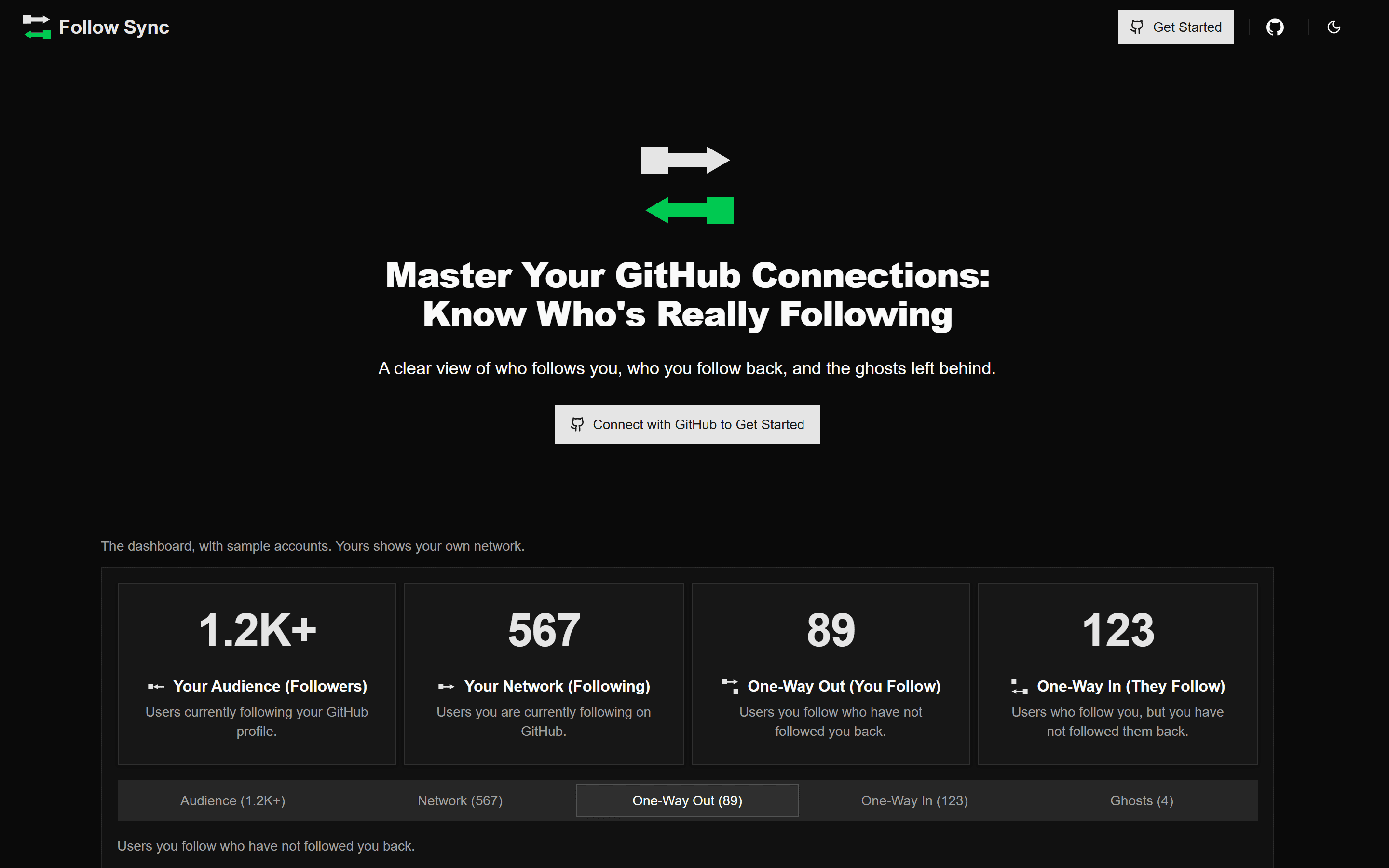
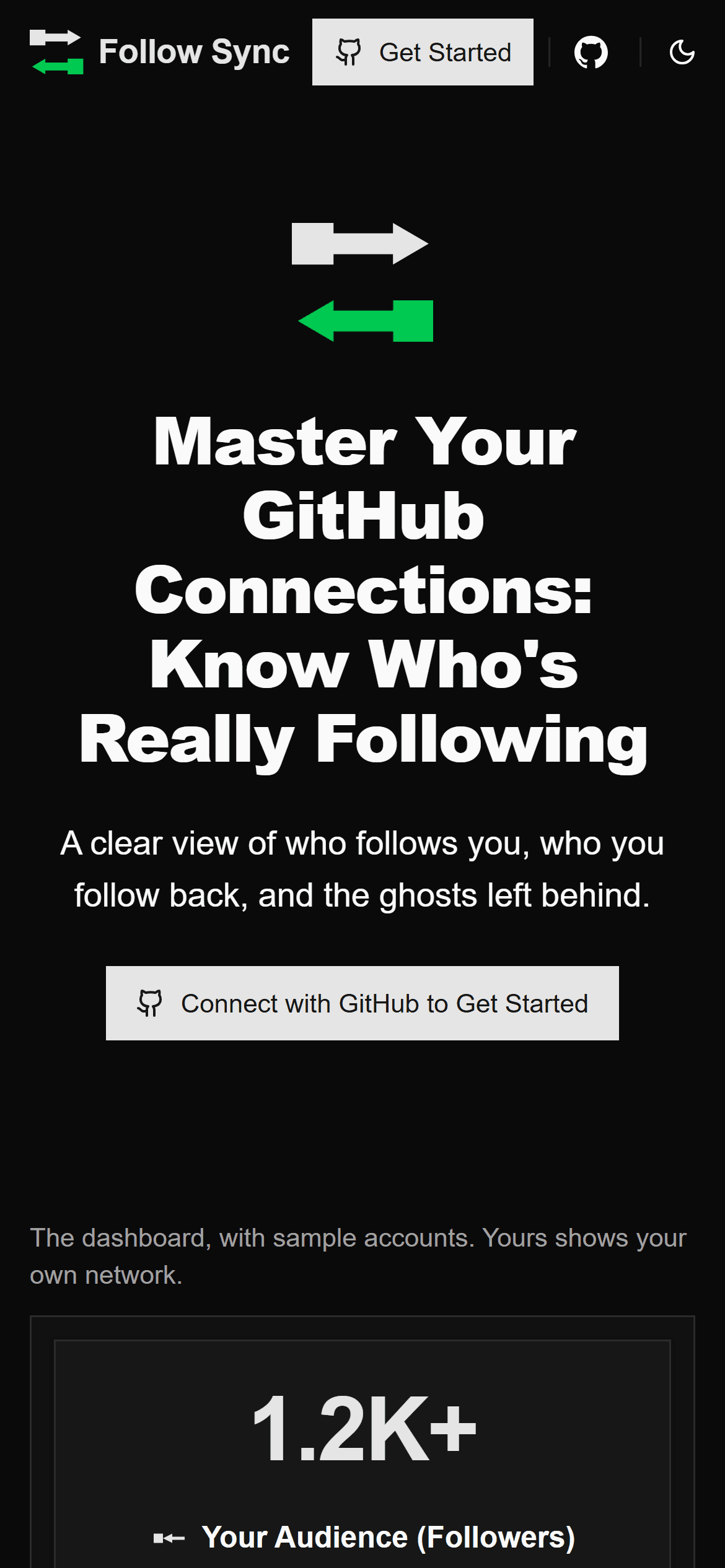
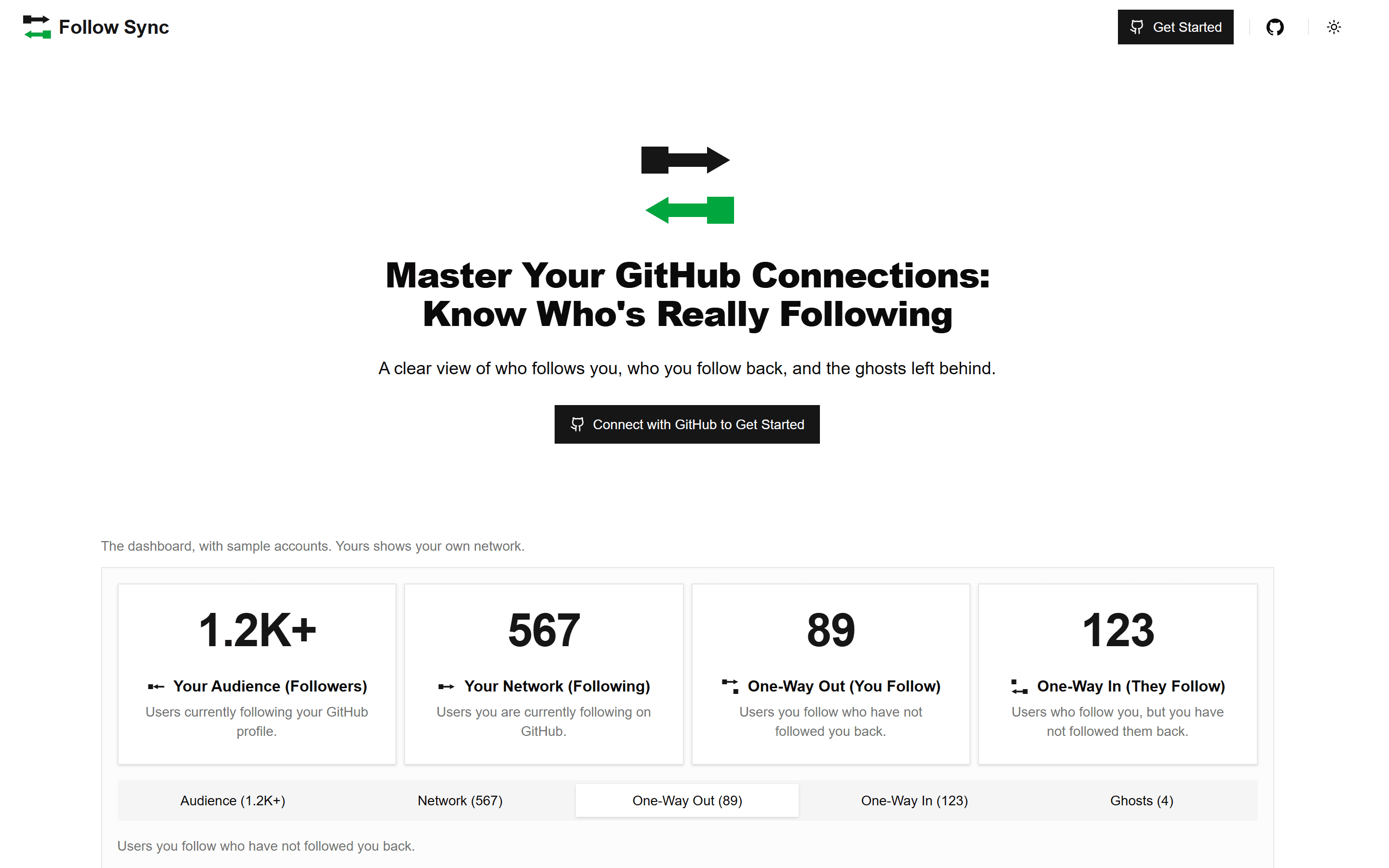
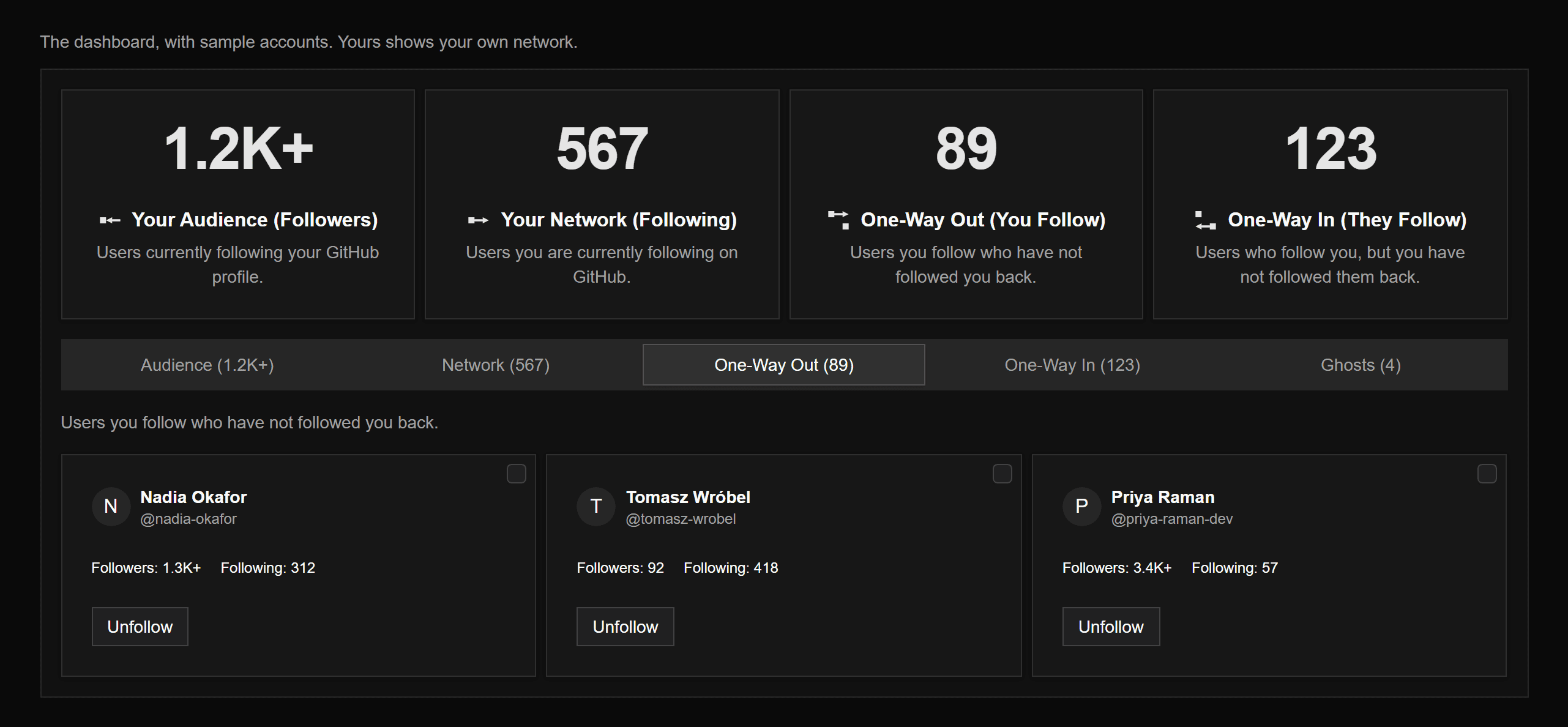
};GraphQL's unfollow mutation can't touch an account that no longer really exists, so removing a ghost goes through the REST unfollow endpoint, which works by login alone. Deleted accounts usually answer with a 404, so the app asks GitHub once more whether the follow still exists before calling it done. Ghosts among your followers just get labeled, since there is nothing on your side to remove. All of it lands in five tabs: Audience, Network, One-Way Out, One-Way In, and Ghosts.
10Splitting state by concern, and by account
As the app grew, one store was holding the network, the ghosts, the gist metadata, and the cache logic at once. I split those into separate stores and let useCacheManager coordinate them. The cache-or-refetch choice moved into a pure function, so a table of cases can test it directly. Gist writes in one tab go through a queue, so two writes there can't interleave, though that does nothing across devices.
Signing in as someone else in a second tab left the first account's stores in place, and the next write went to the old account's gist. Now resetAccountState() clears every account-scoped store. A review pass then found sign-out calling it too late.
/**
 * Signs the user out and returns them to the landing page. Shared by every
 * sign-out entry point (dropdown, landing page) so they behave identically.
 * Account-scoped localStorage (the remembered cache gist id) is cleared first,
 * so the next account on this browser can't pick up the previous one's cache,
 * and the in-memory account state is dropped before the sign-out request, so a
 * cache write that finishes while it is in flight can't restore either.
 */
export const signOutAndReset = async () => {
  clearUserStorage();
  resetAccountState();
  await signOut({ redirectTo: '/' });
};11Updating first, rolling back on failure
Following and unfollowing are optimistic. The UI changes the moment you click, before GitHub confirms anything, and if the request fails the change is undone and you're told why. Each optimistic call to the network store hands back a handle. rollback undoes only that change and leaves anything made since alone, and commit marks it confirmed, so a sync landing a moment later keeps it. A failed save to the gist only gets a warning, since GitHub already made the change. Bulk actions reuse the same machinery, one request at a time with a short delay to stay clear of GitHub's secondary rate limits.
/**
 * Connection mutations. The optimistic update + rollback live in the network
 * store (the single source of truth); this hook just wires them to the API call
 * and persistence. Single-action mutations persist on success; the bulk
 * variants skip per-item persistence so callers can persist once at the end.
 */
export const useFollowManager = () => {
  // ...
  /**
   * Saves the cache after a change GitHub already applied. Deliberately not
   * awaited inside `onSuccess`: a throw there would route the mutation to
   * `onError` and roll back a follow/unfollow that actually happened. A failed
   * save only means the cache is behind, so it gets its own warning.
   */
  const persistInBackground = () => {
    persistChanges().catch((error) => {
      console.error('Failed to persist cache after a change:', error);
      toast.warning(
        toUserMessage(
          error,
          'Your change was applied on GitHub, but saving the cache failed.'
        )
      );
    });
  };

  const followMutation = useMutation<
    unknown,
    Error,
    FollowMutationInput,
    MutationContext
  >({
    mutationKey: FOLLOW_MUTATION_KEY,
    mutationFn: ({ user }) =>
      followUser({ client: requireClient(), userId: user.id }),
    onMutate: ({ user }) => ({ handle: optimisticFollow(user) }),
    onError: (err, { user }, context) => {
      context?.handle.rollback();
      toast.error(toUserMessage(err, `Failed to follow @${user.login}.`));
    },
    onSuccess: (_data, _variables, context) => {
      context?.handle.commit();
      persistInBackground();
    },
  });
  // ...unfollowMutation mirrors it, and the bulk variants reuse the same
  // store-owned rollback while persisting once at the end of the batch.
};12Locking down the page itself
In October I replaced the static Content Security Policy in next.config.ts, which allowed 'unsafe-inline' scripts. Middleware now makes a fresh 128-bit nonce for every page request, and a script runs only if it carries the nonce or was loaded by one that does. The cost is caching. A prerendered page can't carry a per-request nonce, so the landing page I had made static two weeks earlier now renders on every visit and comes back no-store. I took that trade.
A nonce per request
/**
 * Attaches a per-request nonce-based CSP to document responses. The policy is
 * set on the forwarded request too: Next.js parses the nonce from it to tag
 * its inline scripts, and `x-nonce` exposes it to the root layout.
 */
export function middleware(request: NextRequest) {
  const nonce = generateNonce();
  const csp = buildCsp(nonce, process.env.NODE_ENV === 'development');

  const requestHeaders = new Headers(request.headers);
  requestHeaders.set('x-nonce', nonce);
  requestHeaders.set('Content-Security-Policy', csp);

  const response = NextResponse.next({ request: { headers: requestHeaders } });
  response.headers.set('Content-Security-Policy', csp);
  return response;
}13A mark that means one thing
Follow Sync's mark, Nodes, has no letters in it, just two accounts each sending a follow toward the other. The returning arrow is Sync Green, and that green means the reciprocal or positive signal and nothing else. The same day, the "Since your previous sync" summary broke that rule with green text that also failed contrast on a white card, so a small green square beside the count carries the signal now.
/**
 * The Follow Sync symbol ("Nodes"): two accounts, each sending a follow toward
 * the other. Cropped to the drawn bounds of the 256 master (branding/), so the
 * mark fills its box. The outgoing arrow takes the text colour; the returning
 * arrow carries the brand accent unless `mono` is set.
 */
export const BrandMark = ({
  className,
  mono = false,
  ...props
}: React.SVGProps<SVGSVGElement> & { mono?: boolean }) => (
  <svg
    viewBox='32 48 192 160'
    fill='currentColor'
    aria-hidden='true'
    focusable='false'
    className={cn('h-[1em] w-[1.2em]', className)}
    {...props}
  >
    <path
      data-part='out'
      d='M32 48 H88 V62 H168 V48 L216 76 L168 104 V90 H88 V104 H32 Z'
    />
    <path
      data-part='back'
      className={mono ? undefined : 'fill-brand'}
      d='M224 208 H168 V194 H88 V208 L40 180 L88 152 V166 H168 V152 H224 Z'
    />
  </svg>
);14What it ended up proving
Follow Sync runs without a paid database or an always-on sync service, and I have used it on networks in the tens of thousands. The browser does the long job, GitHub supplies the per-user storage and API budgets, and the server keeps the token out of browser code. The 35 test files include a 1,736-line gist simulator that plays out interleaved writers, failing reads, and the 300-file listing cap, which is where the bugs above lived. CI runs formatting, lint, types, tests, and the build on every pull request. The stack underneath is Next.js with React Query for the async state and Zustand for the rest, but the useful decisions were about what not to build.